
One window for your whole day.
Coding agents, tasks, calendar and meetings, a keystroke apart. On your Mac, not our cloud.
bruhs is a Mac app. Send yourself the link and download it there.
The app is for Macs with Apple silicon. On Windows and Linux, bruhs runs from source in your browser.
The app needs a Mac with Apple silicon, and this one looks like Intel. Run bruhs from source in your browser, or download it anyway.
Works with  Claude Code and
 Codex
No bruhs cloud.
Threads, tasks, notes and people live on your Mac.
No bot in your meetings.
Whisper transcribes on your Mac while the call happens.
Your own login.
Runs the Claude Code and Codex you already pay for. No API keys, no resold tokens.
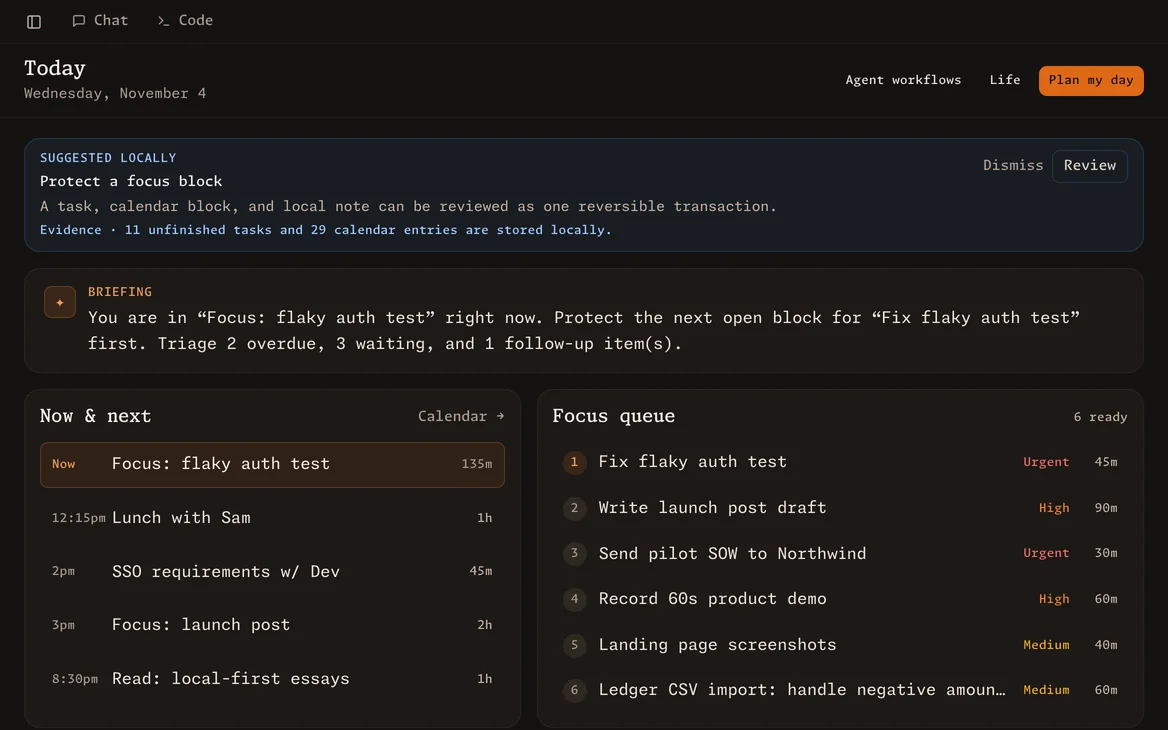
Today: what's due, what's blocked, and who you're waiting on.
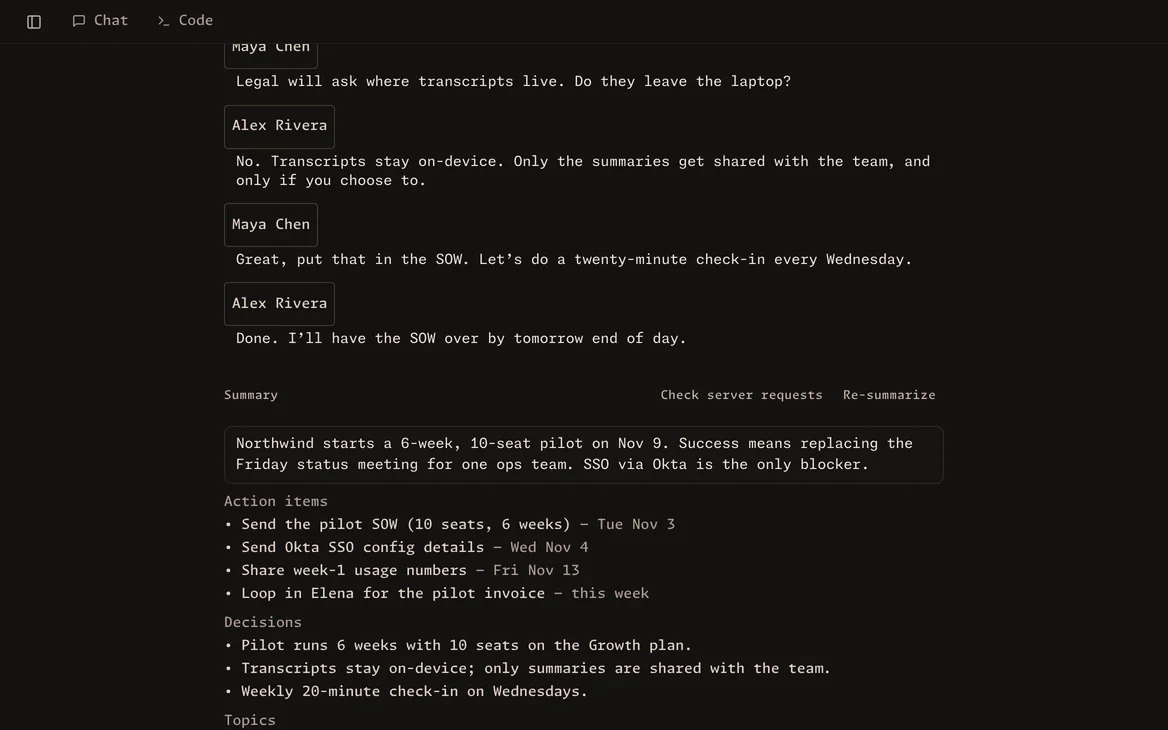
Meeting notes without a bot in the call, transcribed on your Mac.
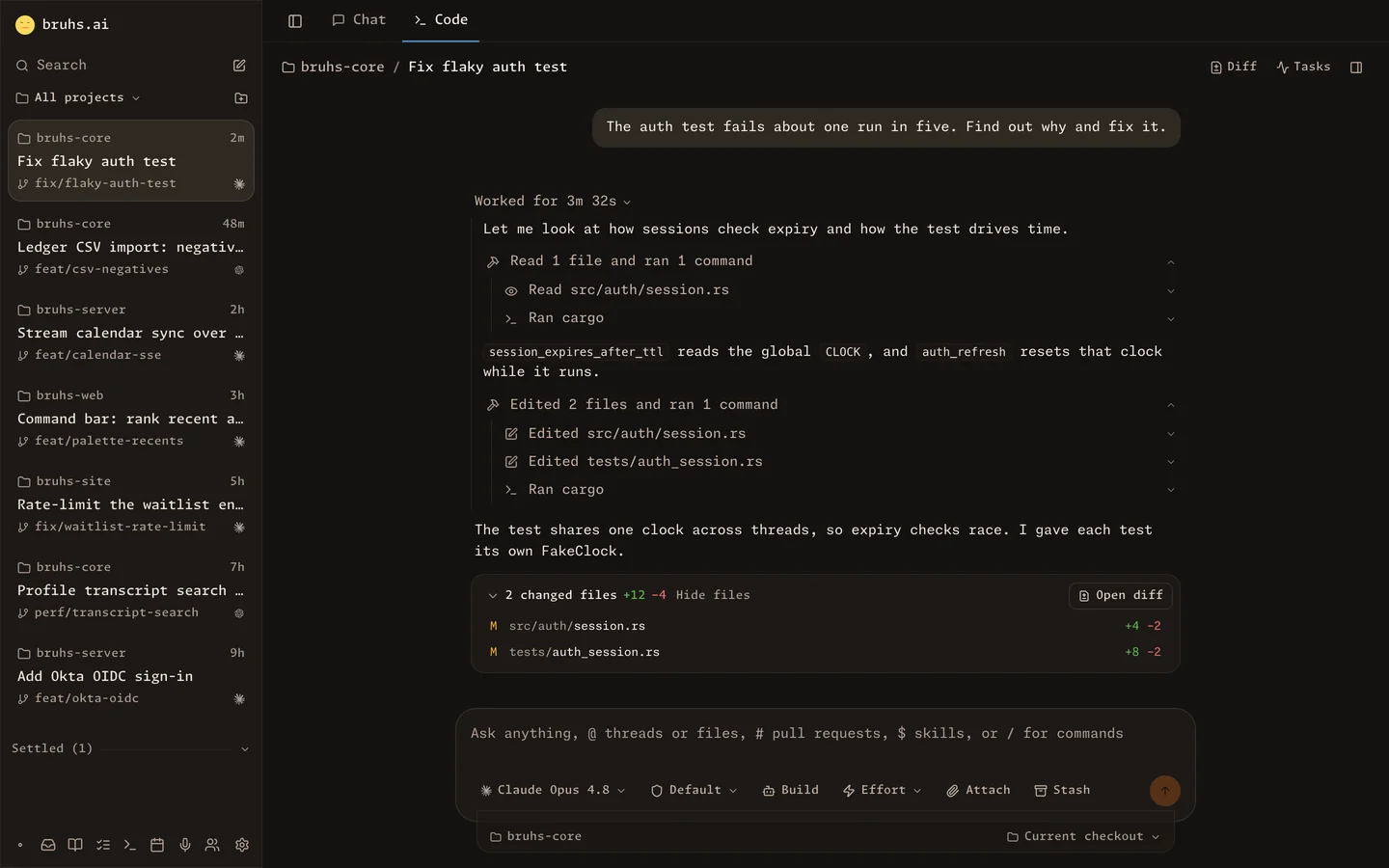
Claude Code and Codex threads, with every tool call, diff and a terminal.
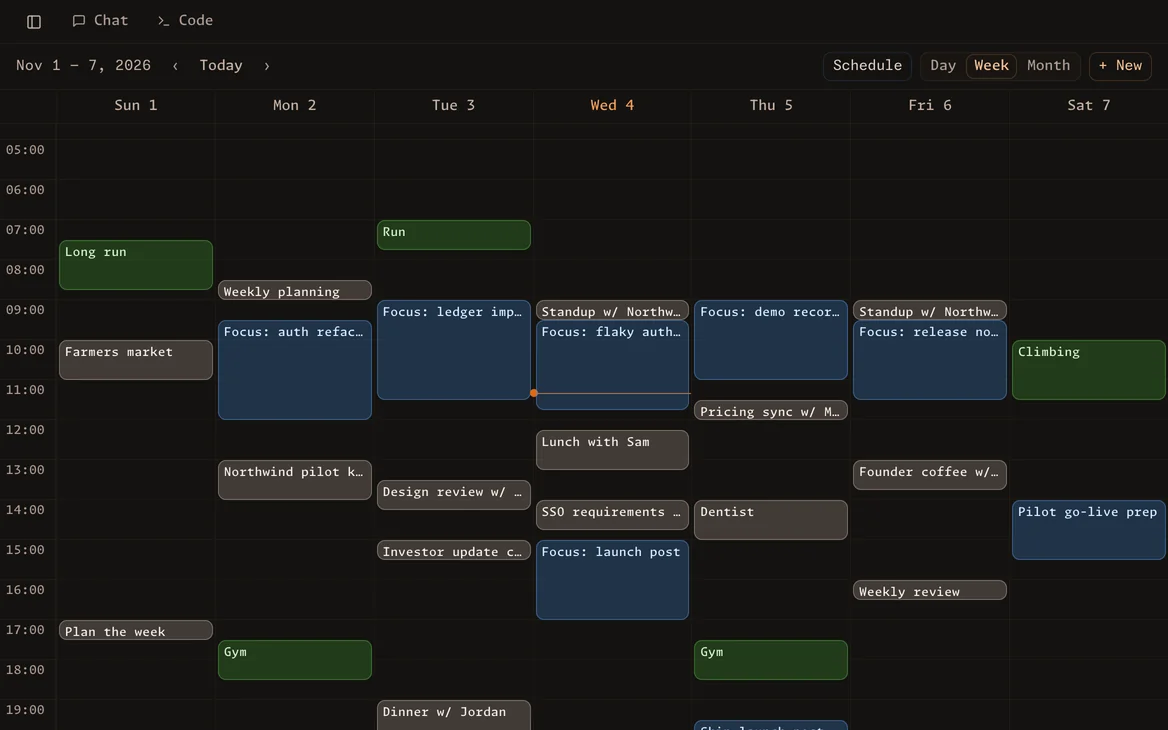
“Plan my day” turns estimates into focus blocks around your meetings.
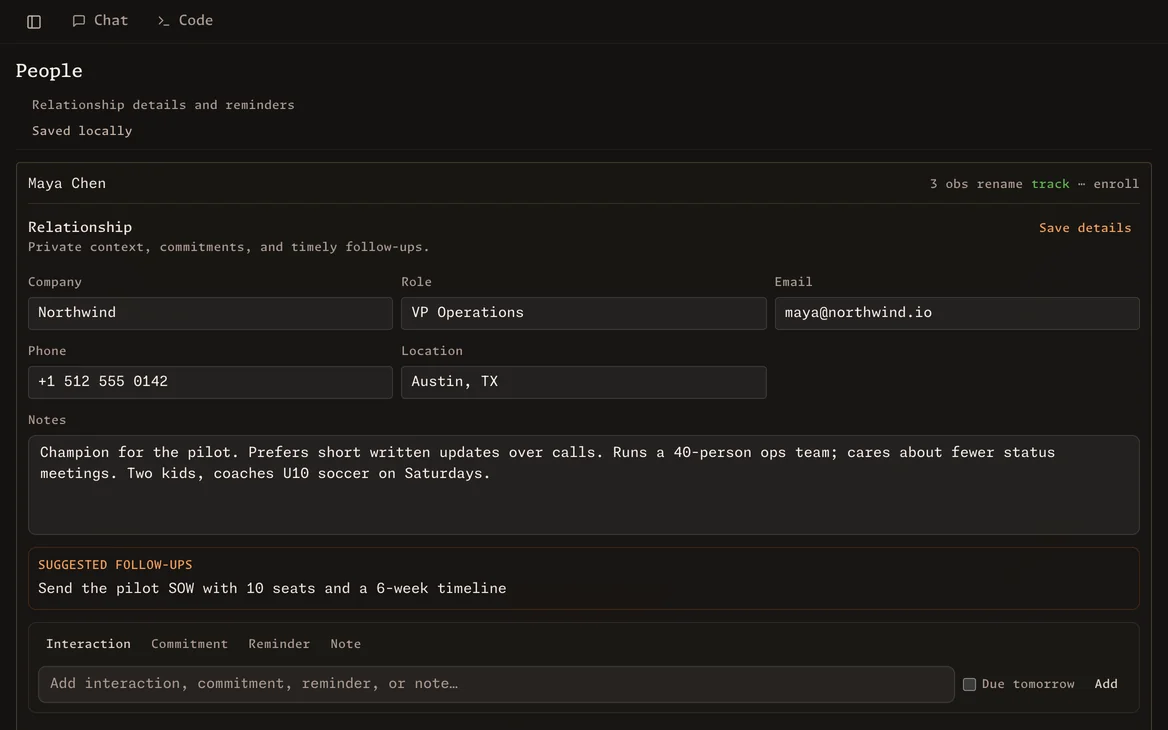
A CRM that fills itself in from your meetings and messages.
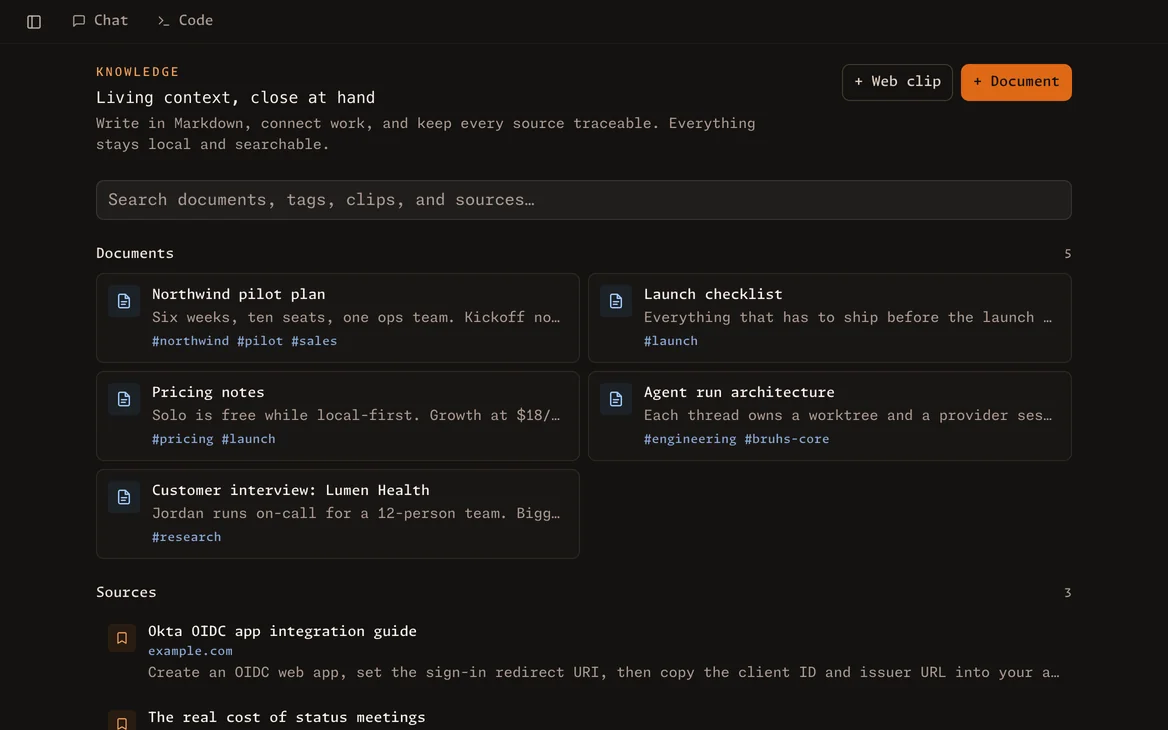
Docs and web clips your agent can read.
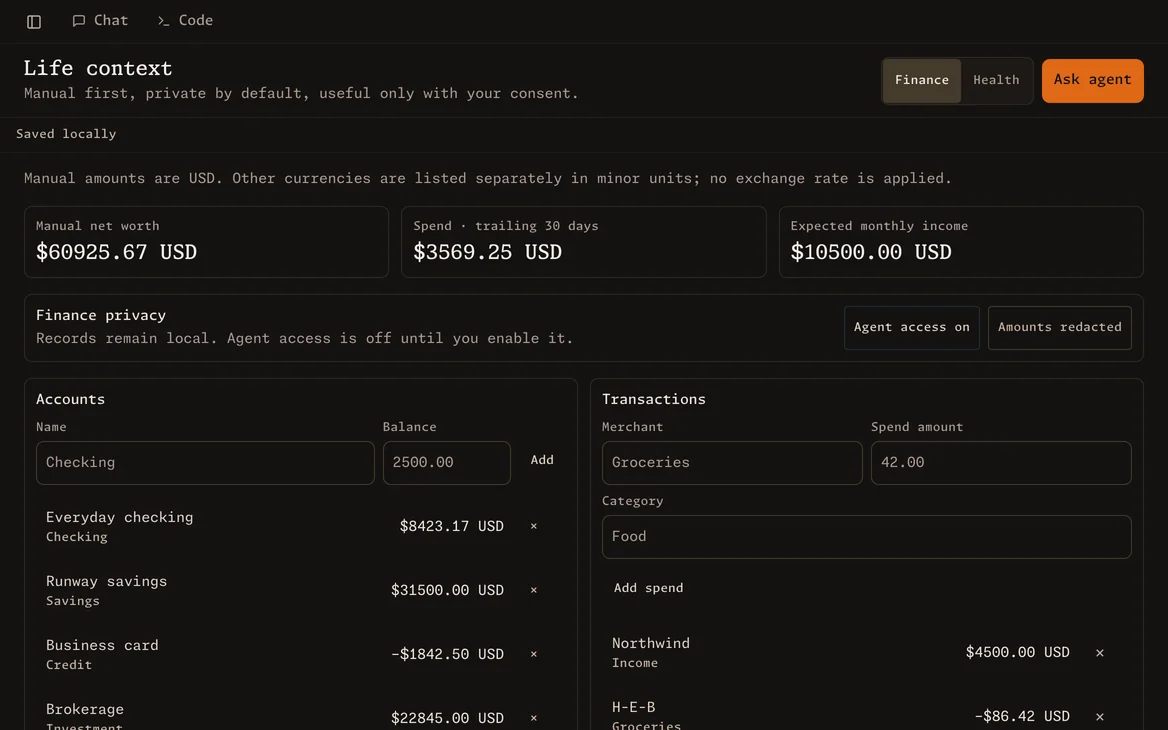
Money and health, hidden from the agent until you opt in.
One thing leads to the next.
- A meeting endsand its action items land in Today.
- A task goes to Claudeand runs in its own thread, with a diff to review.
- Your calendar makes roomto review what it did.
What's new in v0.1.1
This release fixes the calendar around daylight saving time and tidies the app's pages and controls.
- Added a Release notes link to Settings → Updates that opens this changelog at the version on offer.
- Fixed the calendar showing a day twice and today in the wrong column in the month a daylight saving change happens. Every calendar view now steps by calendar date.
- Fixed imported threads showing raw model ids such as
claude-haiku-4-5-2025…in the composer; they now show the model's name.
Questions
How is it different from Claude Code or Codex?
It runs them. bruhs drives the Claude Code and Codex you already have, on your own login, and puts your tasks, calendar, meetings, people and notes in the same window, so an agent can work from your day. Bring your threads over from Claude Code, Codex, T3 Code or Cursor, and continue any thread back in Claude Code, Codex or T3 Code.
Is it free?
Yes. bruhs is MIT licensed, with no paid tier and no account to make. Agents run on the Claude or ChatGPT plan you already pay for.
Can I use an API key instead?
Yes, for Claude. bruhs ignores ANTHROPIC_API_KEY by default so a stray key doesn't switch you to per-token billing; set BRUHS_CLAUDE_USE_API_KEY=1 to use it. Codex uses whatever codex login set up.
Will an agent change my code without asking?
Not in the default mode. Claude asks before it edits a file or runs a command, and Codex, which can't ask, runs read-only. Auto-accept lets either one write. Every change shows up in the diff panel, and Edit from here rewinds a thread and its files to an earlier message.
Does a bot join my calls?
No. bruhs records your microphone and your Mac's audio, so it works with Zoom, Meet, Teams or anything else that makes sound, and nobody sees a bot. It doesn't tell anyone you're recording, so ask first; some places require everyone's consent.
What leaves my Mac?
What you send to Claude or Codex, through your own login, including a meeting's transcript when Claude summarizes it. Google Calendar, if you connect it. Update checks, which you can turn off. Recordings stay on your Mac unless you point transcription at your own server.
Does it work with my calendar?
Google Calendar, read-only, through a Google Cloud client you create (the README walks through it). Tasks and focus blocks live in bruhs's own calendar. Outlook and iCloud aren't supported yet.
Does it sync between my devices?
No. There's no bruhs server to sync through, so your data stays on the Mac it's on.
What do I need to run it?
A Mac on Apple silicon with macOS 13 or later. On Windows and Linux there's no download yet: bruhs runs from source in the browser, and meetings record the microphone only.
Open source, all of it.
MIT licensed. Read it, fork it, run it from source.
$ git clone https://github.com/bryantleft/bruhs-ai && cd bruhs-ai && scripts/dev.sh